Log Streams & Merging
Android segregates its log output into several dedicated buffers. LogViewer automatically identifies each stream when opening multi-file log dumps and merges them into a single chronological timeline.
Recognized Log Streams
LogViewer automatically recognizes the standard Android log stream buffers:
main: General application and user-space logging.system: Core framework, system services, and OS daemons.events: High-level binary event logs (window transitions, screen power, process lifecycle).radio: Cellular telephony, SIM card communications, and RIL events.kernel: Low-level kernel driver messages (dmesg//dev/kmsg).
Visual Stream Badges
When multiple log files with different streams are loaded together, each line in the log table displays a dedicated stream badge:
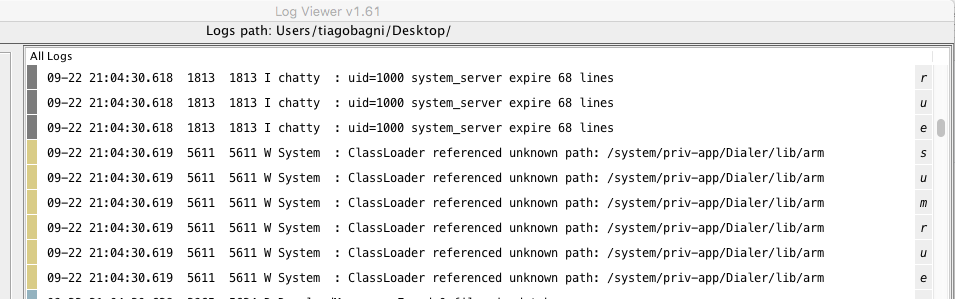
This allows you to immediately tell whether a log line originated from the system server, the radio daemon, or an application process.
Toggling Streams in Filtered Output
When multiple streams are present, a Streams menu appears on the toolbar:
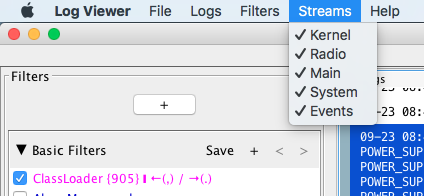
- Check or uncheck individual streams to include or exclude them from your filtered output.
- Stream toggles take effect instantly in memory without re-parsing files or re-running regex filters.