Bug Report Analysis
Android bugreports contain a wealth of diagnostic data beyond raw logcat streams, including system properties, package manifests, service dumps, and carrier configurations. LogViewer automatically unpacks .zip and .txt bugreports and organizes their contents into structured, searchable diagnostic views.
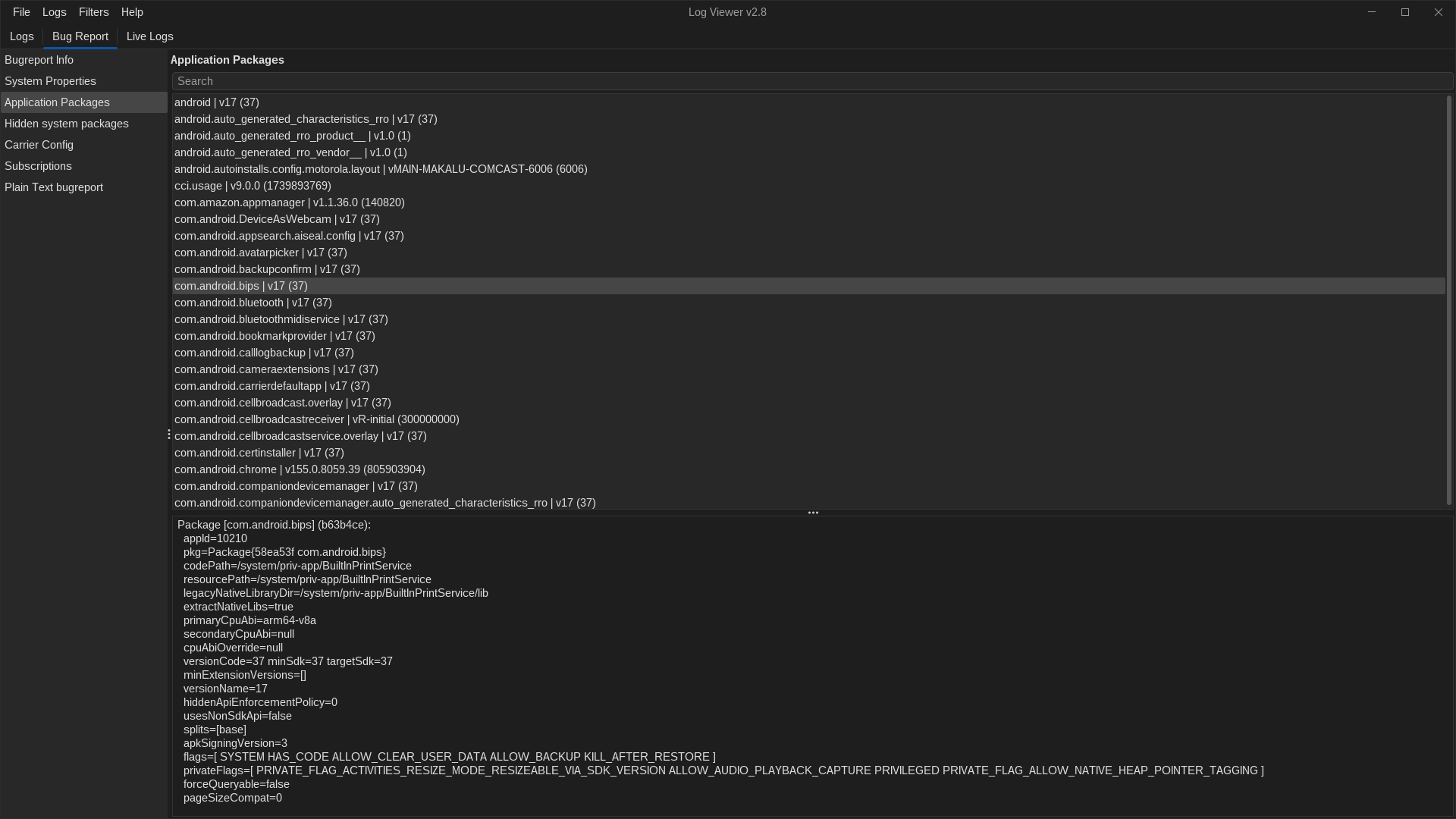
Automatic Extraction & Merging
When you open an Android bugreport:
1. Logs: All contained log buffers (main, system, events, radio, kernel) are parsed, indexed, and merged chronologically into the Logs tab.
2. Metadata & Diagnostics: Device properties, package listings, and subsystem configurations are extracted and displayed in the Bug Report tab (accessible via Cmd+2 or Ctrl+2).
Bug Report Diagnostic Tabs
1. Packages & Services
The Packages inspector provides a deep-dive inventory of every application installed on the device at the time the bugreport was generated:
- Package Metadata: View package name, version name, version code, target SDK, and minimum SDK.
- Flags & States: Check whether a package is a system app, updated system app, debuggable, enabled, or disabled.
- Permissions & Bindings: Review declared permissions, granted runtime permissions, and exported foreground/background services.
- Instant Filter: Type in the search box to find specific package identifiers or system services immediately.
2. System Properties (getprop)
The Properties view parses all Android build and runtime properties captured in the bugreport:
- Search by property name (e.g.,
ro.build.fingerprint,ro.product.model,persist.sys.locale) or by value. - Rapidly inspect Android version, API level, build flavor (
uservsuserdebug), security patch date, and hardware variant.
3. Carrier Configuration & Subscriptions
For telephony and connectivity investigations, the Carrier Config view exposes: * Active SIM subscriptions and slot IDs. * Carrier configuration bundle keys and boolean overrides (e.g. VoLTE enabled, Wi-Fi calling flags, 5G NR configurations). * Telephony service states and network operator identifiers.